Front Z Joints
Materials
The materials listed below are for each side.
| Hardware | Qty |
|---|---|
| Extrusion 2020-320 | 1 |
| M3x10 Coupling Nut | 2 |
| Spherical Bearing - GE5C | 1 |
| M5x20 BHCS | 1 |
| M5x40 BHCS | 1 |
| M3x16 SHCS | 4 |
| M3x25 SHCS | 4 |
| M3x35 SHCS | 2 |
| M3x40 SHCS | 2 |
| M3x5.7 Brass Insert | 2 |
| M3x4.3 Brass Insert | 2 |
| M5 Roll-In Nut | 1 |
| (Side B Only M3x10 SHCS) | (1) |
Animated Assembly
Steps
1. Assemble Front Z Joint B
- Press in 2 M3x5.7 Brass Inserts to the Front Joint B - Carriage Block printed part
- Slide the M3x10 Coupling Nut into the rear slot in the Front Joint B - Carriage Block printed part
- Push in 2 M3x25 SHCS as shown
- Use 2 M3x25 SHCS to attach the Front Joint B - Rear Cover printed part
- Press in 2 M3x4.3 Brass Inserts to the Front Joint B - Endstop Adjustment printed part
- Thread a M5x20 BHCS into the Front Joint B - Endstop Adjustment printed part. The proper location of this screw will be adjusted later
- [ Side B Only Thread a M3x10 SHCS into the Front Joint B - Endstop Adjustment printed part. The proper location of this screw will be adjusted later ]
- Slide the Front Joint B - Middle Support into place and fasten it with 2 M3x40 SHCS
- Slide the M3x10 Coupling Nut into the front slot in the Front Joint B - Carriage Block printed part
- Push in 2 M3x35 SHCS as shown
- Use 2 M3x16 SHCS to attach a belt clamp to the top and bottom of the Front Joint B - Carriage Block printed part
- Press the Spherical Bearing - GE5C into the Front Joint - Spherical Bearing Block printed part
- Make sure the slot in the printed bearing block points toward the belt clamps
- Push an M5x40 BHCS through the spherical bearing and Z Joint, and thread it into an M5 Roll-In Nut but do not tighten
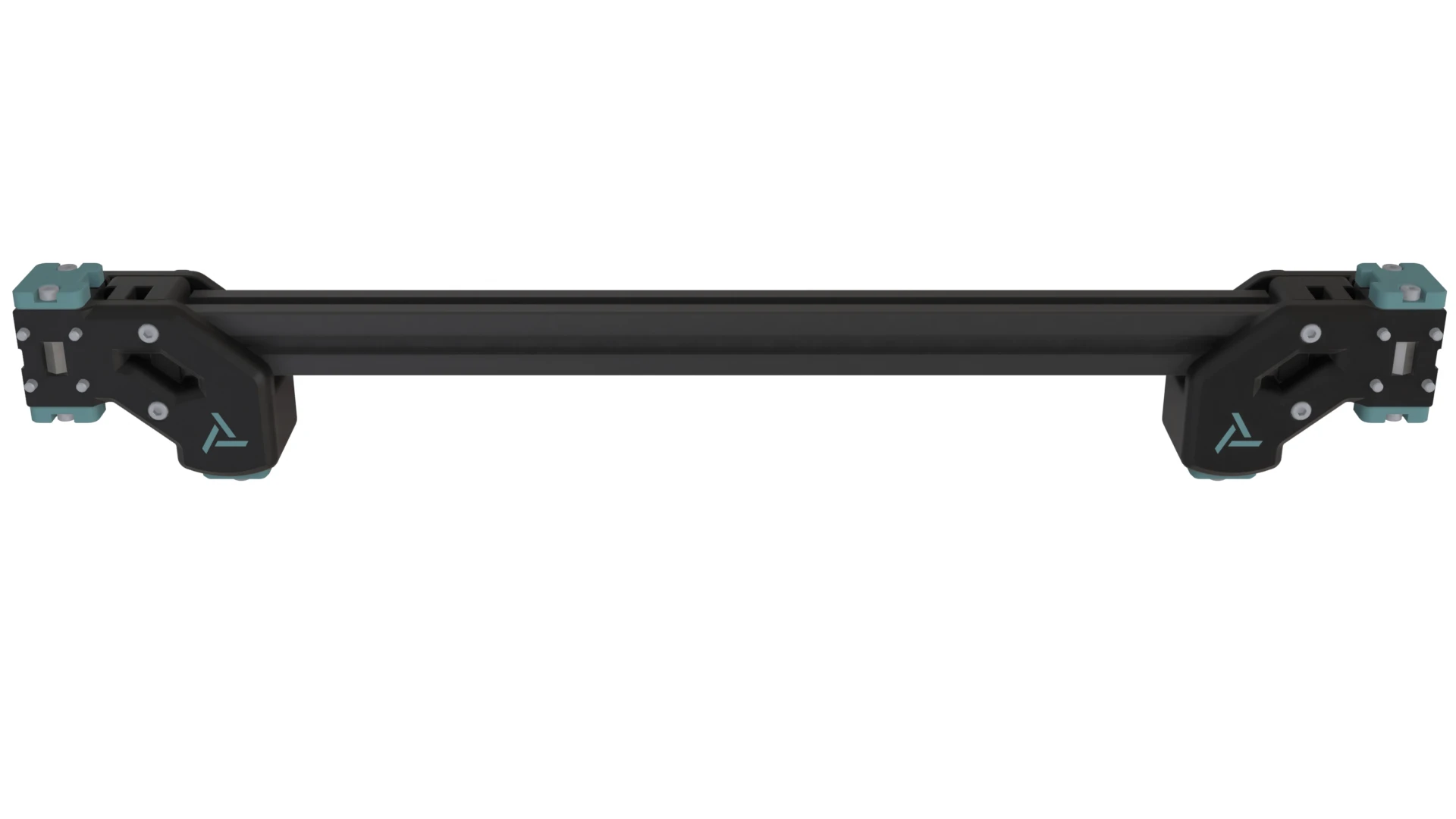
2. Assemble Front Z Joint Bar
- Repeat Step 1 for Front Z Joint A
- Slide the Z Joints onto either end of the Extrusion 2020-320 such that the roll-in nuts enter the extrusion slot
- Leave about 1mm on each side and snug the M5x40 BHCS but still do not tighten yet
At this point it’s easiest if you continue to the next section: Bed Lever, before returning here to attach the Front Z Joint Bar.
- Attach the Front Z Joint Bar to the Z Axis Linear Carriages by first tightening the captive fasteners, then the outer fasteners
- Make sure the gaps are about even on both ends of the extrusion and that the Front Z Joint Bar slides freely up and down the Z Axis
- Finally you get to tighten the M5x40 BHCS